Agentic OMR for Erkan Ulu Middle School
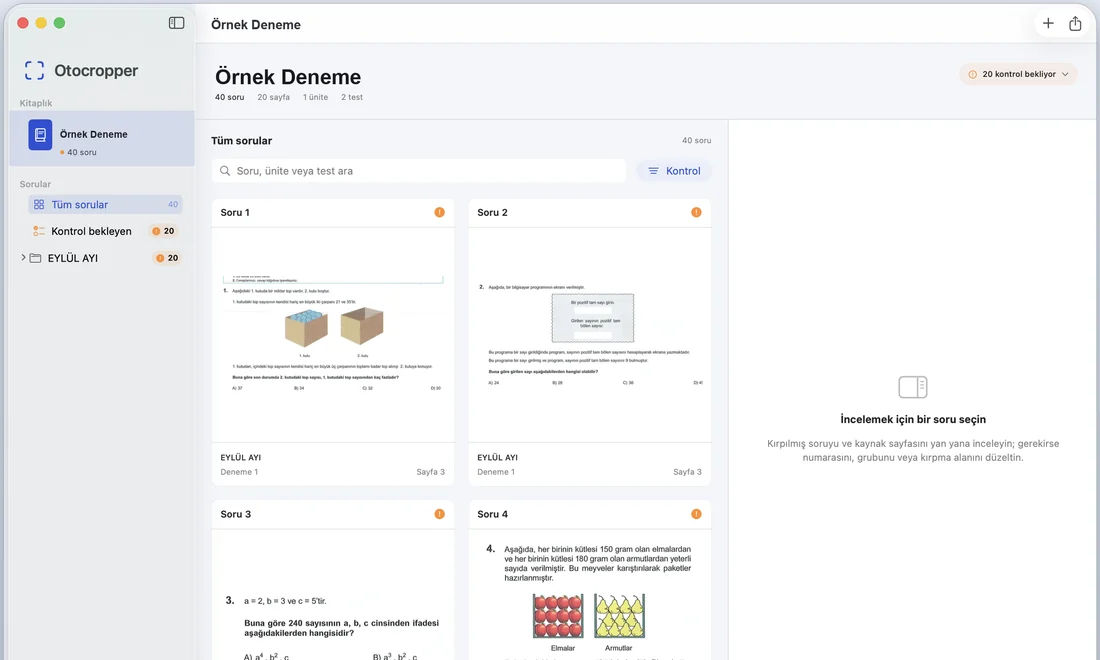
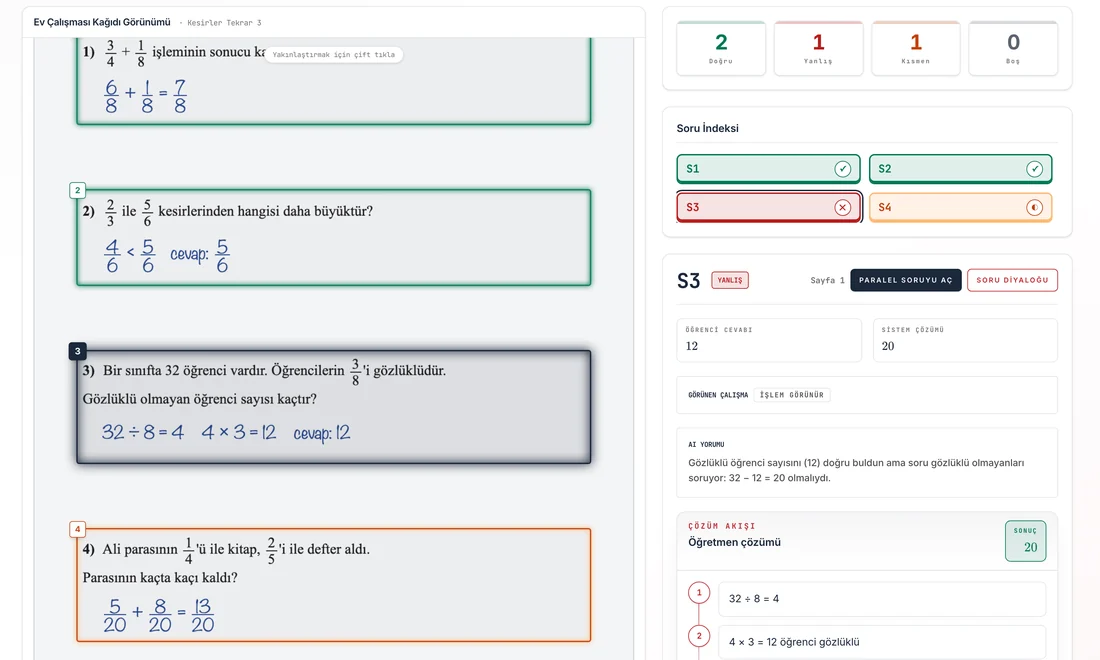
A pipeline that reads multiple-choice answer sheets from teachers' phone photos and scans. A YOLO model finds each answer row, a custom-trained open-source vision-language model served with vLLM reads the marked option, and any read below a confidence threshold goes to a teacher for review. Results go into the school portal.
- Client Erkan Ulu Middle School
- Sector K‑12 education
- Location Istanbul, Türkiye
- Owner Savaş Tutumlu
- Status In production
At a Glance
- Input
- Phone photos or scans of the school's existing answer sheets
- Reading
- YOLO row detection, then a custom-trained open-source vision-language model served with vLLM
- Safeguard
- Reads below the confidence threshold wait in a teacher's review queue
- Output
- Each student's answers in the school portal
The Challenge
Teachers typed every student's answers into the school portal by hand, and it took hours every exam week.
Typing by hand
Answers were entered from the sheets one student at a time, which was slow and let typing mistakes into the grades.
Real phone photos
Photos arrive tilted, shadowed or creased, and students erase answers and mark them again.
The school's own sheets
The school wanted to keep its answer-sheet layout rather than print special forms for a scanner.
How It Works
Four steps from a photo to the portal. Each step is a separate tool with its own check.
1. Photograph
A teacher photographs or scans the sheets. No special forms or scanner hardware.
2. Find the rows
A YOLO model finds each answer row and crops it, allowing for rotation, shadows and creased paper.
3. Read the marks
A custom-trained open-source vision-language model, served with vLLM, reads which option the student meant, including half-erased marks and corrections.
4. Check, then save
Every read gets a confidence score. Confident results go to the school portal; the rest go to a teacher's review queue.
Why agentic: splitting the job into tools means each part can be checked, so fewer errors pass silently: geometry from the detector, the reading from the language model, and a validation step against the sheet layout before anything is saved. When a read comes back uncertain, the pipeline reads the row again with a different prompt before it asks a teacher.
Technical Architecture
The parts of the pipeline, and the loop that runs for each batch of sheets.
Components
- Scanner web app — opened from the school portal for a given student and test; it captures the sheet, sends it for reading and submits the results back to the portal.
- Preprocessing — orientation correction, deskew with Hough lines and adaptive thresholding.
- Row detector — a YOLO model that finds answer-row bands and anchors the crops.
- Reader — a custom-trained open-source vision-language model served with vLLM.
- Post-processing — confidence gating and checks against the expected sheet layout.
- Job queue — sheets are read in the background with retries, and the app shows progress while it waits.
- Review queue — low-confidence reads wait for a teacher instead of being guessed.
Testing
The pipeline is tested against hand-labelled answer sheets photographed in real conditions: different lighting, tilted pages, different pens and stray marks.
System flow
+------------------+      +------------------+
| Scanner app      | ---> | Preprocess       |
| (from portal)    |      | deskew, denoise  |
+------------------+      +------------------+
         |                         |
         v                         v
  +---------------+        +---------------+
  | YOLO detector |        | Crops per row |
  +---------------+        +---------------+
         |                         |
         v                         v
  +---------------+        +-----------------+
  | vLLM VLM      | <----> | Agent/verifier  |
  | read options  |        | prompts, rules  |
  +---------------+        +-----------------+
         |                         |
         v                         v
    +----------+             +----------+
    | Results  | ----------> | Portal   |
    +----------+             +----------+
Processing loop (simplified)
for (sheet in batch) {
  img = preprocess(sheet)
  rows = yolo_detect_rows(img)
  answers = []
  for (r in rows) {
    crop = smart_crop(img, r)
    read = vlm_read_options(crop, prompt_schema)
    if (read.conf < CONF_MIN) {
      read = vlm_read_options(crop, prompt_alt)
    }
    answers.push(resolve(read))
  }
  checked = verify_and_align(answers, layout_map)
  if (checked.status == "ok") {
    persist(checked, portal_api)
  } else {
    enqueue_review(sheet, checked.issues)
  }
}
What Changed
- Teachers photograph answer sheets instead of typing every answer into the portal.
- Reads the model is unsure of go to a teacher instead of being guessed.
- The school keeps its existing answer sheets: no special forms, no scanner hardware.
- Since 2026 the same results feed per-student, per-topic analysis for the LGS exam.
Role: Savaş Tutumlu is the project owner. The first prototype, in May 2025, was started with a collaborator.
Timeline
- May 2025 First version: phone photos of multiple-choice tests turned into results in the school portal.
- 2026 Extended into per-student, per-topic analysis for the LGS exam.
- Today In production at the school.
Related Services and Reading
The services behind this answer-sheet reader, and two articles that explain it in more depth.
Machine Learning Services
Vision models trained on your own documents and tested before they go live.
ServiceE-Learning Software Development
Software that fits how a school already runs exams and homework.
ServiceSystem Integration
New tools connected to the systems a school already uses, such as its portal.
Further reading
How AI answer-sheet grading works
The pipeline behind this project, explained step by step.
ArticleOMR software vs AI grading
Bubble-sheet scanners compared with vision models, and when each one fits.
ArticleWhat fine-tuning costs in 2026
GPU prices and the arithmetic behind training a model on your own data.